Competition karting
Use confirmed category and entry information when naming groups. Review similar team liveries and photographs from different heats before combining them.
AI kart photo sorting software
AI kart photo sorting for race meetings, club events and track photographers. Bring the whole shoot into RaceLabs, group it with kart and driver signatures, then review and prepare customer galleries. Keep the event moving from sorting to editing, upload and sales.
Discuss a kart eventFollow the event workflow Read the kart gallery guide
01 / Karting photography
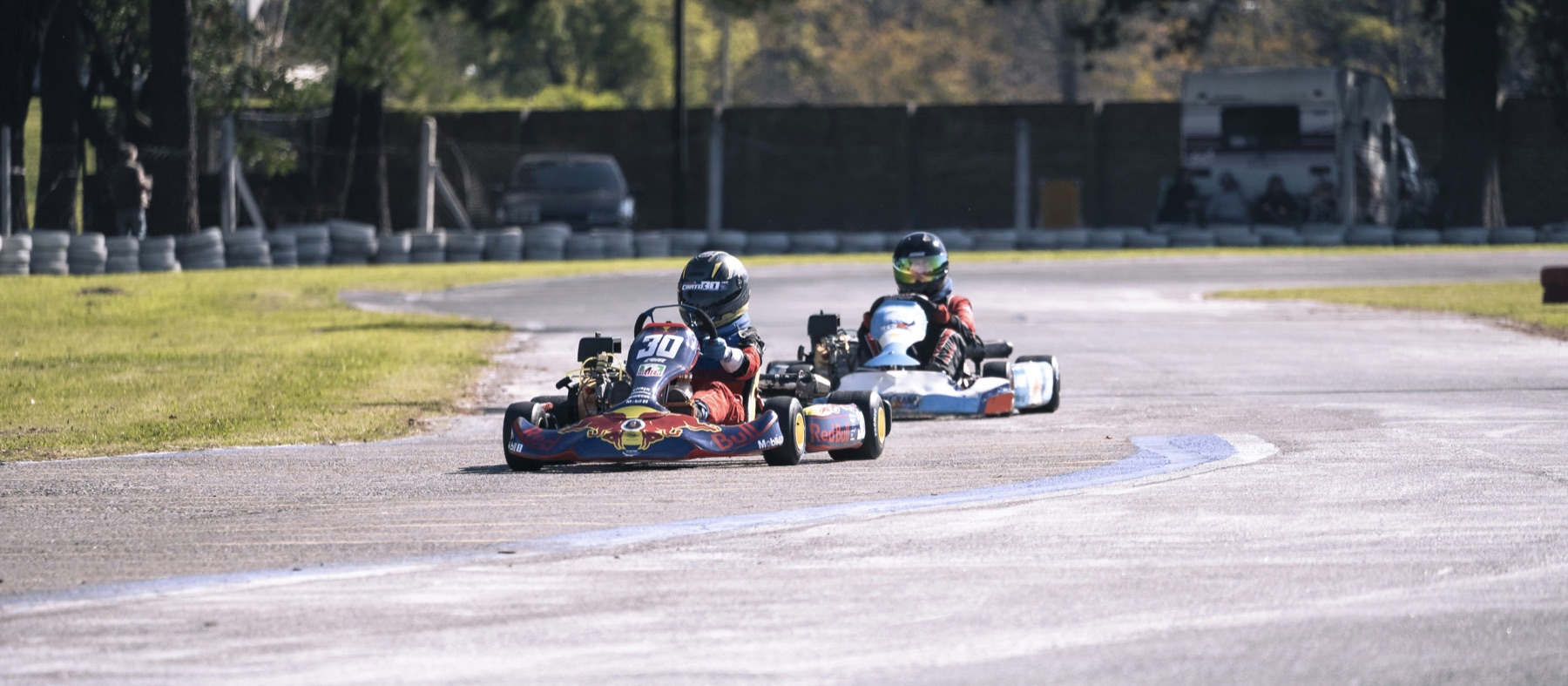
Helmets hide faces. Similar chassis, bodywork and team colours can make different drivers look alike. A kart number may be readable in a head-on photograph and disappear in a side view or a crowded corner.
Categories, heats and rental sessions add context that matters. Keep the event timetable and your trackside notes close during review. A useful driver gallery brings together the right photographs across the day without assuming that the same kart always has the same driver.
Use confirmed category and entry information when naming groups. Review similar team liveries and photographs from different heats before combining them.
Check who used each kart during the relevant session. A fleet number describes the kart; it does not establish the driver across the whole day.
Check driver swaps, kart swaps and changes of helmet or clothing. Split or reassign photographs where needed, and merge groups only after confirming that they belong together.
02 / The workflow
RaceLabs helps organise the shoot. You decide which photographs belong in each customer gallery.
Start with the event photographs and let RaceLabs make the first grouping pass using kart and driver signatures. Keep the event context available for the review that follows.
Inspect the groups and unresolved photographs. Merge, split, rename or reassign them, paying particular attention to similar karts and changes between sessions.
Choose the photographs you want to deliver and finish them in your editing workflow. The RaceLabs Lightroom Classic export plugin can upload finished JPEGs into the event.
Upload the reviewed, edited photographs and any prepared videos. Uploading puts the files in place for publication.
Publish the event to your connected RaceLabs photographer website. Customers can browse the galleries, choose their photos or videos and purchase downloads under your brand.
03 / Karting photography
Rental sessions and endurance races have their own rhythm. A kart may change hands, and a driver may change equipment. Keep session and stint information beside the groups, so the final gallery follows the customer’s day.
Split a shared-kart collection by session when needed, or combine confirmed photographs after a kart change. RaceLabs gives you the correction tools; your event knowledge completes the delivery.
04 / Karting photography
Use an event title that includes the venue and date. Name reviewed groups consistently using confirmed information, and explain the coverage offered. If the event mixes classes or sessions, include enough context in the labels to avoid ambiguity.
Choose a clear cover photograph, check the selection and describe whether the offer includes photos, videos or both. A gallery should make it easy for the customer to recognise the right set and understand what they are buying.
How to sort kart race photos and publish driver galleries05 / Karting photography
Connect the reviewed event to a photographer website with your name, logo and watermark. Offer full-resolution photos and videos through branded galleries, checkout and downloads. RaceLabs branding appears only as a discreet footnote.
The base website template starts at €500, with integration in less than one week. Personalised work is quoted separately. Storage is included for reasonable use; exceptional usage beyond reasonable use is charged per TB at market price. RaceLabs takes 0% sales commission; payment-provider fees still apply. Website services and app usage are separate from customer sales.
Explore photographer websitesTheir photographer stores.
Powered by RaceLabs.

Before your next event
Sorting, gallery delivery and the connection to your own store.
Yes. Karting is part of RaceLabs' motorsport offering. The workflow groups the event photographs using kart and driver signatures, then gives you tools to review and correct the groups before delivery. Discuss your event format with RaceLabs, especially where karts or equipment are shared.
RaceLabs groups photographs using kart and driver signatures, so the workflow is not limited to photographs with a readable number. A visible number can help during review, but similar equipment, obstructed views and changes between sessions still need checking.
Review photographs against the relevant session or stint and any confirmed driver or kart changes. A kart group may include different drivers, and one driver may appear in different kart groups. Split, merge or reassign photographs after checking them.
Use the organiser's timetable, entry information and your own notes to provide that context during review. Confirm the labels yourself before publication; the photo grouping should not be treated as a record of the event's classes, heats or driver changes.
Yes. You can merge, split, rename and reassign groups or photographs. Review the event, make corrections and finish your edits before uploading the finished files and publishing to your connected website.
Yes. The sorting workflow accepts JPEG and supported RAW formats, and can save grouped files into ordinary folders on your disk. Review and edit before delivery. The Lightroom Classic export plugin uploads finished JPEGs to a connected RaceLabs website; that website is optional. Test your camera files and any video codecs during setup.
Yes. The optional RaceLabs photographer website supports full-resolution photos and videos, branded galleries, checkout and purchased downloads. Upload the prepared files, then publish the event.
The base template starts at €500, with integration in less than one week. Personalised work is quoted separately. Storage covers reasonable use; exceptional usage is charged per TB at market price. RaceLabs takes 0% sales commission; payment-provider fees still apply. Its branding is limited to a discreet footnote. Website services are separate from photo sorting.
RaceLabs builds installers for Windows, macOS on Apple Silicon and Intel, and Linux. Include your operating system and version, camera formats and any video when requesting app access so we can confirm compatibility and setup. Check the first-event setup section in How RaceLabs works for the details.
Your first sorting event is free. Photo sorting starts at €0.01 per photo, with volume rates and no sorting subscription. At that entry rate, 5,000 photos cost €50 for photo sorting. Standard marginal volume bands fall to €0.004 per photo; each rate applies within its band. Tell us your file mix and volume so we can agree your event quote and first-event scope. Website setup, payment-provider fees and exceptional storage are separate costs.
From shoot to sale
Tell us whether you photograph competition, rental sessions or endurance events, how you edit your files and where you want to sell them. We will help you plan the RaceLabs workflow around your event.
Discuss a kart eventExplore five live photographer stores