Their event.
Their photographs.
Help participants find their event photos. The RaceLabs Athletics app connects event photography with participant galleries, using bib matching and optional selfie search. Plan the access route, review process and delivery schedule for your race with us.
First event free: evaluate participant access, photo coverage and the work needed before you commit.
Open the event.
Find your photographs.
Use the login fields shown for your event. Bib-mode access uses a bib number plus date of birth or email, as configured for the event. Another event mode uses email plus date of birth. Face-search consent is optional and starts off; you can log in without enabling it. A selfie is optional, not a condition of gallery access.
Illustrative demo: a selection of example photos for bib 53 moves from the event wall into a participant gallery. This animation shows the optional selfie route. It does not search your event, upload a selfie or measure coverage or delivery time.
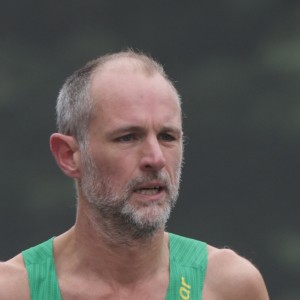
Clear bibs.
Difficult views.
Hidden bibs, crowded frames and changing viewpoints make photo search harder. Evaluate a representative event, including difficult views, before promising coverage to participants.
Bib visible
A readable bib can help connect a photograph with a participant. Include these images when checking event coverage.
01Bib hidden
An arm, crowd or crumpled number can make bib matching difficult. An optional selfie search may help find additional photos, but results are not guaranteed.
02Back turned, no face
Side and rear views can remain unresolved. Check representative results and explain how participants can report missing or incorrect photographs.
03Make photographs part
of the event experience.
Give participants a clear path to their photographs and give your photographers room to review the results. Agree the login fields, gallery offers, support contact and publication schedule for your event.
Check participant coverage
Review a representative event with your photographers. Look for missing photos and incorrect matches; there is no guarantee that every athlete or every photograph will be found.
Access without a selfie
Participants use the login route configured for their event. Optional face-search consent is separate from access, and a selfie is not required to log in.
A delivery schedule you can plan
Set a publication schedule around photography, upload and review. Tell participants when galleries are expected and where to check for updates.
Discuss your sport and scale
Planning running, trail, cycling, triathlon or hybrid race photography? Tell us the event format, expected participants and shooting conditions so we can plan a relevant evaluation.
Preview, then buy
Use the event gallery to see the available photographs and offers. The photographer or organiser sets the event’s packages, included files and purchase information; check those details before buying.
For a separate public catalogue under your brand, explore the full-resolution photo and video website service. The customer store examples show storefronts and offers; they do not validate athletics matching or participant coverage.
Good to know.
How do athletes find their photos?
Open the event gallery and use its login fields. Bib mode uses a bib number plus either date of birth or email, as configured for that event. Another mode uses email plus date of birth. Bib matching and optional selfie search help locate photographs, but cannot guarantee that every image is found.
Do I need a selfie or face-search consent to log in?
No. Face-search consent starts off and is not required to submit the event login. Adding a selfie and enabling face search are optional. Follow the event’s instructions if you choose that search option.
Is my participant gallery the same as a public photographer store?
No. Participant galleries use the event’s configured login. Photographers may also publish public stores with event listings and offers. Use the access instructions for the event you are visiting.
What should I know before adding a selfie?
A selfie is optional. Read the consent information and the applicable privacy notice before using face search. You can use the event login without enabling that option.
What if photographs are missing or incorrect?
Check that you opened the right event and entered the requested details correctly. If photos are missing or a result shows someone else, use the event’s support contact. Matching can miss images or return incorrect results; this demo does not measure event coverage.
What files will I receive?
Check the photographer’s gallery offer for the included photos or videos, file details and download instructions. The files prepared for delivery determine what you receive.
Which sports can we discuss?
Contact us about running, trail, marathon, cycling, triathlon or hybrid fitness race photography, including HYROX-style events. Include the event format, expected participants and shooting conditions so we can plan an appropriate evaluation.
How quickly are photos available?
Availability depends on photography, upload, review and the event’s publication schedule. Check the organiser’s or photographer’s event information. A same-day result is not guaranteed.
Where can I read about access and data handling?
Read the RaceLabs privacy notice and terms, together with the event gallery’s access and purchase information. Optional face-search consent is separate from the login requirements.
Give your finishers their photos.
Or reach us directly