Motorsport / Cars

AI car photo sorting software

Every angle.
One car collection.

AI car photo sorting for trackday and race photographers. RaceLabs groups your event by vehicle, helping bring front, side and rear views into collections you can review, edit and deliver. Connect your own store to take the finished work straight from upload to publication.

Try RaceLabs on a car eventFollow the event workflow Read the car sorting and delivery guide
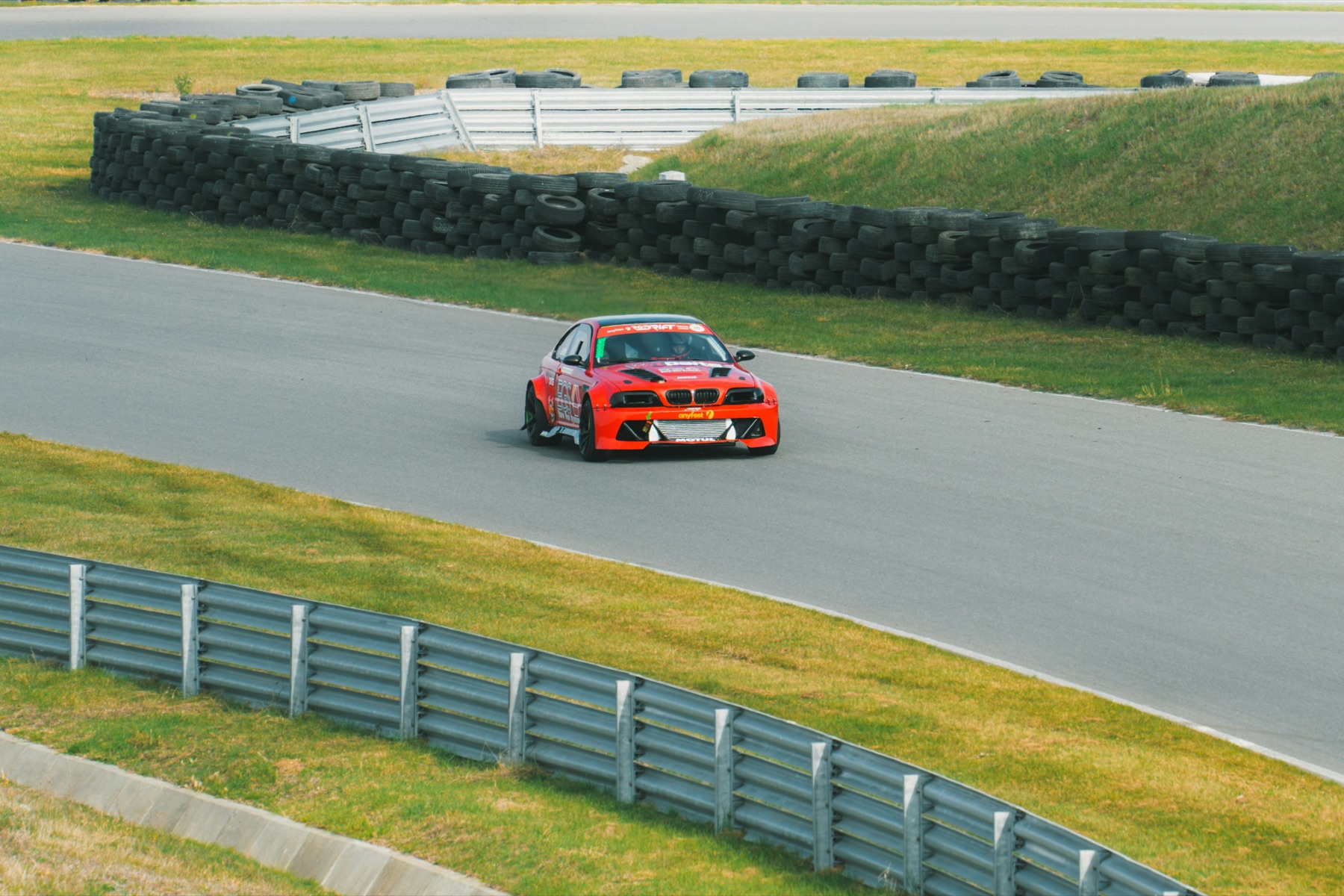
Red race car on a circuit beside tyre barriers.
Trackside atmosphere · Maria Sime on Unsplash · Unsplash License
Whole-event groupingRAW & JPEG workflowYour review. Your final edit.Connected photo & video sales

01 / Car photography

Built around the car. Ready for the customer.

A trackday customer wants their car’s photographs together, across corners, cameras and sessions. Vehicle signatures give you the first grouping pass. Review the collections, correct the exceptions and spend your attention on the photographs you want to deliver.

For shared cars and endurance entries, confirm the driver from session or stint information. The vehicle collection gives you a useful starting point; a named driver gallery also needs that event context.

02 / Car photography

Changing angles deserve a proper review.

A day at the circuit rarely produces the same view twice. Vehicle signatures support the first grouping pass; your review checks whether the resulting collection makes sense across the event.

Front, side and rear views

Look across the group's angles. If photographs of one car have been separated, compare them and merge the groups when you are satisfied they belong together.

Similar cars and liveries

Two matching team cars or two road cars in the same colour need closer attention. Inspect the photographs, split a mixed group where needed, and reassign misplaced images.

Hidden or unreadable numbers

A clear race number can help you label a group. When the number is turned away, obscured or blurred, compare the wider set before assigning a label. Leave unresolved photographs for review.

More than one car in the frame

Check which vehicle groups receive the photograph and whether the image belongs in each customer's selection. Traffic, partial cars and distant subjects deserve an extra look.

03 / The workflow

From the whole event to a gallery you have checked.

  1. Add the event

    Bring your event photos into RaceLabs. Keep a separate backup and retain the event date, circuit and session information you will need for delivery.

  2. Group by vehicle

    Run the first sorting pass over the event. Use the resulting groups as the starting point for your vehicle collections.

  3. Review and correct

    Inspect the vehicle collections and unclear photographs. Merge split sets, split mixed groups, rename collections and reassign images before delivery.

  4. Finish the edit

    Choose the photographs worth delivering, make your edits and prepare full-resolution JPEG exports for the website. Sorting and selecting your best work are separate decisions.

  5. Upload the finished files

    For a connected RaceLabs website, upload the prepared event files after your review and edit. The Lightroom Classic export plugin can upload JPEG renditions to the event.

  6. Publish and check the gallery

    Publish to your connected gallery, then check the event title, vehicle labels, previews, products and download journey. You can also save grouped files into normal folders on your own disk for a separate delivery workflow.

Read the car photo sorting and delivery guide

04 / Car photography

Judge the result on a complete car event.

Use an event with the conditions you actually photograph: repeated models, similar liveries, several viewpoints and hard-to-read numbers. Check for a different car inside a group and for photographs of the same car spread between groups.

Measure the time through review and correction as well as processing. Uploads, editing and publication add their own work. A useful trial tells you what delivery takes for your files and your connection.

See sorting prices and the first-event offer

05 / Car photography

Sell through your photography brand.

The optional RaceLabs website starts with a base template from €500, with integration in less than one week and support for full-resolution photos and videos. Personalised work is quoted separately.

Your branding leads, with RaceLabs acknowledged only in a discreet footnote. RaceLabs takes 0% sales commission; payment-provider fees still apply. Storage is included for reasonable use; exceptional usage is charged per TB at market price. App usage and website setup are priced separately.

Explore the website offer and become a partner

Their photographer stores.
Powered by RaceLabs.

Explore the live stores

Before your next event

Car photography.
Your questions.

Sorting, gallery delivery and the connection to your own store.

Can I use RaceLabs to sort car trackday and race photos?

Cars are part of RaceLabs' motorsport offer. Start with a complete event, review the vehicle groups and correct them before delivery. Use your own event to assess the result, especially when the field contains similar cars or repeated liveries.

Does grouping a car identify its driver?

A vehicle group does not verify the driver in each photograph. When a car is shared, use confirmed session or stint information to identify the driver. A readable car number can identify the entry without establishing who was driving at that moment.

What if the race number is missing or hidden?

RaceLabs uses vehicle signatures for grouping, so the workflow is not limited to labelling photographs with a readable number. Check obscured, blurred and rear-view images during review, and use a neutral vehicle label when you cannot confirm the number.

Can I correct a mixed group or combine photos of the same car?

Yes. The app provides merging, splitting, renaming and image reassignment. Review the resulting groups after corrections. Similar liveries, shared cars and different camera angles are useful cases to include in your first trial.

Does RaceLabs choose and edit the best photographs for me?

Grouping brings related photographs together. You still decide which frames to deliver and how to edit them. Review and correct the groups, finish your selection and edit, then prepare the files for delivery or publication.

Can I work with RAW files and Lightroom Classic?

The desktop sorting workflow accepts JPEG and supported RAW formats. For website publishing, prepare full-resolution JPEG exports. RaceLabs has a Lightroom Classic export plugin for uploading those renditions to the event. Check your camera's files in the trial; RAW sorting support does not mean that original RAW files are ready for customer galleries.

Can I include video?

The app accepts supported video files alongside photos and includes tools for grouped video delivery and clip generation. Review assignments and clip boundaries before publishing. The connected website offer supports full-resolution photos and videos; test your own car footage before setting a delivery commitment.

Do I need a RaceLabs website to use the sorter?

No. RaceLabs can save grouped files into normal folders on your disk. The connected website is an optional service for branded galleries and sales. For that service, upload the prepared event files and then publish to the gallery.

How long will sorting and delivery take?

That depends on the event, files, connection and review required. Time a complete event through grouping, correction, editing, upload and publication before promising a deadline.

What does 0% RaceLabs sales commission cover?

RaceLabs does not take a commission on photo and video sales through the website offer. Website setup, app usage, separately quoted personalised work, exceptional storage and any payment-provider charges are distinct costs.

Which computers can use RaceLabs?

RaceLabs builds installers for Windows, macOS on Apple Silicon and Intel, and Linux. Include your operating system and version, camera formats and any video when requesting app access so we can confirm compatibility and setup. Check the first-event setup section in How RaceLabs works for the details.

What does sorting an event cost?

Your first sorting event is free. Photo sorting starts at €0.01 per photo, with volume rates and no sorting subscription. At that entry rate, 5,000 photos cost €50 for photo sorting. Standard marginal volume bands fall to €0.004 per photo; each rate applies within its band. Tell us your file mix and volume so we can agree your event quote and first-event scope. Website setup, payment-provider fees and exceptional storage are separate costs.

From shoot to sale

Bring your next car event to RaceLabs.

Tell us what you photograph and how you deliver it. Review a complete event and see where RaceLabs fits into your workflow.

Discuss your car photography workflowExplore five live photographer stores